Stop Trusting Your Light Meter Blindly: Mastering Exposure Compensation on the X-T100
Here's something nobody tells you when you first pick up the X-T100: the camera is constantly lying to you. Not maliciously, and not even badly most of the time—but its metering system is built around a fundamental assumption that can send your exposures sideways in some of the most common shooting situations you'll ever encounter.
The good news? Once you understand the logic behind the lie, exposure compensation stops feeling like a panic button and starts feeling like a paintbrush.
The 18% Gray Problem (And Why It Matters)
Every light meter in every camera—including the one inside your X-T100—is calibrated to expose a scene as if the entire frame averages out to a medium gray tone. Technically, that's 18% gray reflectance, which roughly matches a lot of everyday subjects under normal lighting. For a lot of shots, this works beautifully.
But the moment you point your camera at something that isn't average—a bright white snowfield in Colorado, a subject backlit by a California sunset, a dark-suited musician on a black stage—the meter gets confused. It sees too much light or too little light and compensates in the wrong direction, trying to drag everything back toward that middle gray. The result is snow that looks dingy and gray, backlit subjects that go dark and muddy, and bright stages that look washed out.
This isn't a flaw unique to the X-T100. It's how metering works. But knowing it gives you the power to step in.
The Three Situations Where Your X-T100 Will Get It Wrong
Backlit subjects are the most common culprit. Shoot someone standing in front of a bright window or a setting sun, and the camera exposes for all that brightness behind them. Your subject goes dark. The fix is almost always adding positive exposure compensation—somewhere between +1 and +2 stops depending on how bright the background is. Yes, the background might blow out a little. That's usually the right trade-off.
Snow and bright sand pull the meter in the opposite direction. Your X-T100 sees all that reflected light and thinks the scene is overexposed, so it underexposes to compensate. The result is gray, flat snow instead of the brilliant white you actually saw. Dialing in +1 to +1.7 stops of positive compensation is almost always the move here. If you've ever shot at a ski resort and wondered why your photos looked so lifeless, this is why.
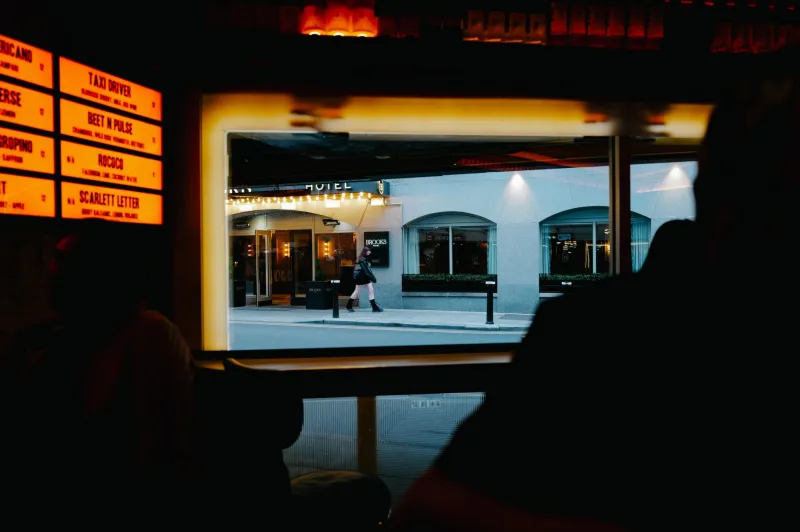
Dark-dominant scenes create the reverse problem. Point your camera at a dimly lit jazz club or a subject wearing a lot of black, and the meter overexposes trying to brighten everything up. Pull it back with negative compensation—sometimes as little as -0.7, sometimes -2 full stops—and suddenly the mood of the scene comes through instead of getting washed out.
How to Actually Use the Dial (Not Just React With It)
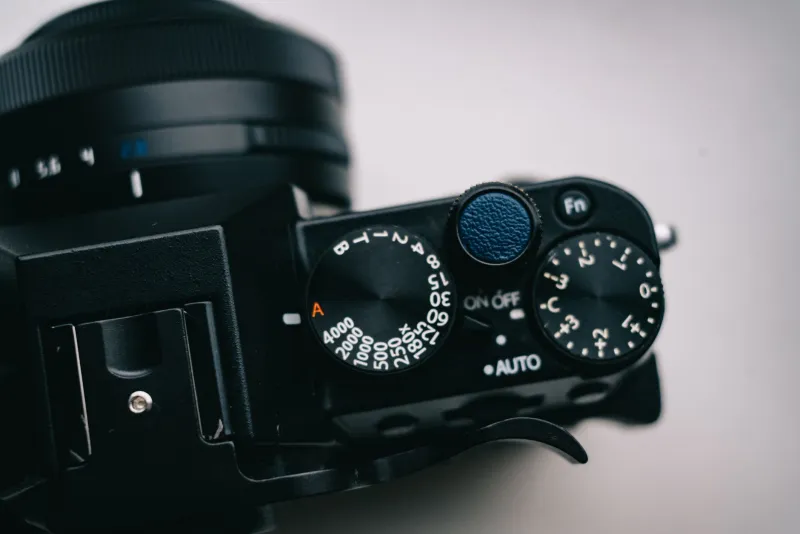
The X-T100 has a dedicated exposure compensation dial on the top plate, which is one of its genuinely great physical features. It runs from -3 to +3 stops in 1/3-stop increments, and it's accessible without diving into a menu. Get in the habit of checking it before you shoot—it's easy to forget you left it at +1 from a previous shoot and then wonder why your next set of photos looks overexposed.
A solid workflow: set your metering mode (Evaluative/Multi is fine as a default), take a quick test shot, glance at the histogram, and then adjust. The histogram is more reliable than the LCD preview, especially in bright sunlight. If the histogram is pushing hard against the right edge, dial back. If it's bunched up on the left with a big gap on the right, add some positive compensation.
That said, don't be purely reactive about it. Start anticipating what the meter will do before you shoot.
Using Exposure Compensation Creatively, Not Just Correctively
Here's where things get interesting. Exposure compensation isn't only about fixing mistakes—it's a legitimate creative tool.
Deliberate underexposure can create moody, dramatic images. Try pulling back by -1 to -1.5 stops when shooting in golden hour light and you'll often get richer, more saturated colors and a more cinematic feel than what the meter gives you straight. This works especially well with the X-T100's film simulations—Velvia in particular responds beautifully to slight underexposure, making colors pop without looking oversaturated.
Conversely, intentional overexposure—sometimes called a "high key" look—can turn ordinary portraits into something airy and ethereal. Try +1 to +1.5 stops on a subject near a bright window and let the background blow out completely. It's a look that's popular in lifestyle and editorial photography, and it's dead simple to pull off once you stop being afraid of overexposing.
Silhouettes are another deliberate use case. Instead of adding positive compensation to expose your backlit subject, do the opposite: let the meter expose for the bright background and let your subject go completely dark. The X-T100 handles this beautifully, especially at sunset when the sky has warm tones. The key is to expose for the sky you want, not the subject you see.
Metering Modes as a Starting Point
It helps to know which metering mode you're working with. The X-T100 offers Multi (evaluative), Spot, and Center-Weighted Average. Multi is the default and generally the most forgiving—it reads the whole frame and makes a calculated guess. Center-Weighted prioritizes the middle of the frame. Spot reads only a small circle in the center, which is powerful but requires precision.
For backlit situations, switching to Spot and pointing it directly at your subject's face can sometimes give you a more accurate reading without needing as much compensation. But Multi plus manual compensation is a faster workflow for most situations, and it's what most experienced X-T100 shooters end up defaulting to.
Building the Habit
The real shift happens when exposure compensation becomes second nature rather than an afterthought. Before you raise the camera, ask yourself: what's the dominant tone in this scene? Is it brighter or darker than average? What do I want the final image to feel like?
That three-second mental check will save you from flat, lifeless exposures—and more importantly, it'll push you toward making intentional images instead of just hoping the camera figures it out. The X-T100's meter is a solid starting point. It's not the finish line.
Trust it as a baseline. Override it as an artist.